Safari GUIDE
Follow the visual steps below to use Quick Access on your desktop computer. To return back to the Quick Access Guide, click [here].
For Safari:
Safari Users: Open Backroom Subs in Safari, click "File" in the top menu bar, select "Add to Dock," and click "Add."
Safari Users: Open Backroom Subs in Safari, click "File" in the top menu bar, select "Add to Dock," and click "Add."
Step 1:
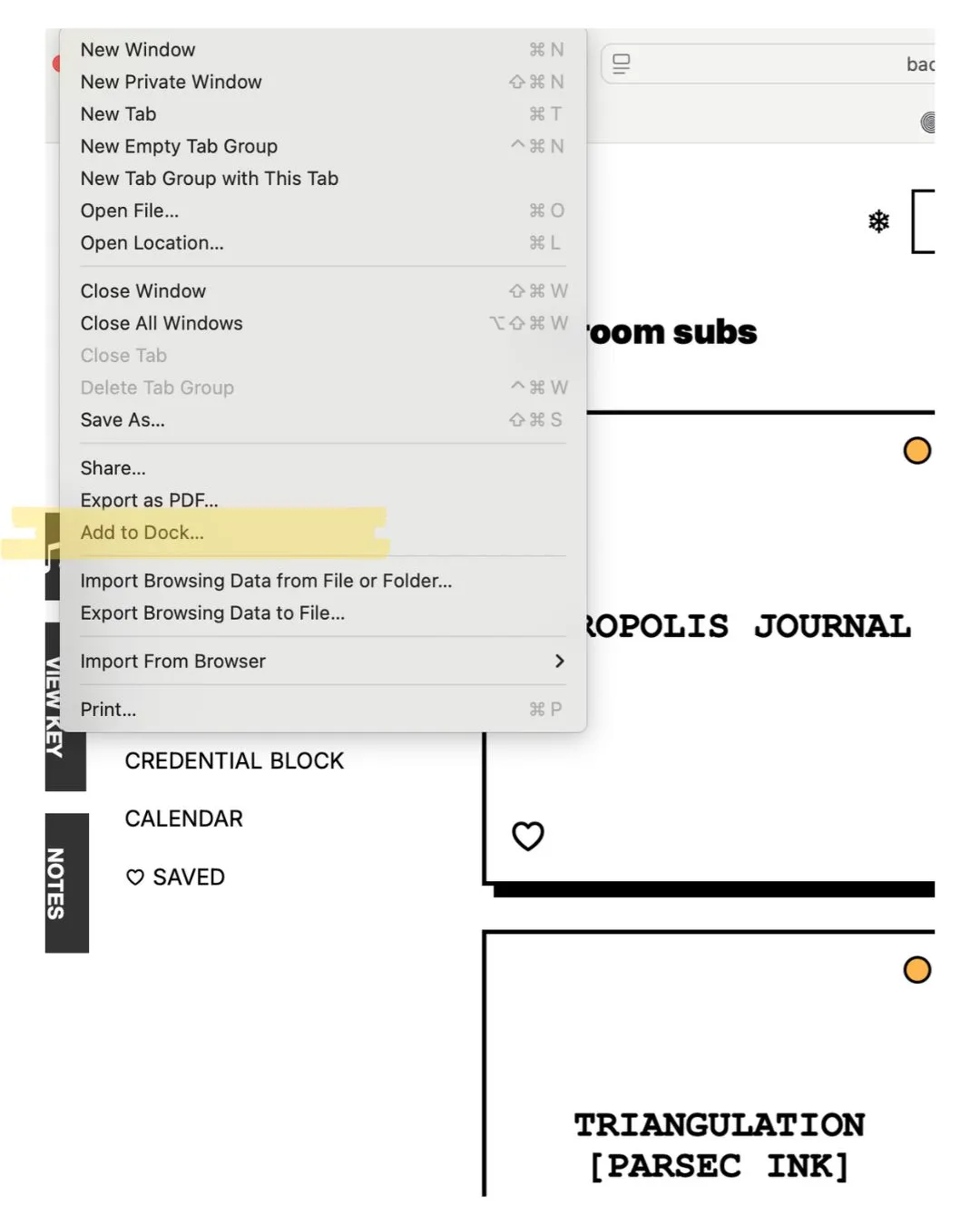
Open Backroom Subs in Safari, click "File" in the top menu bar. Select "Add to Dock."
Step 2:
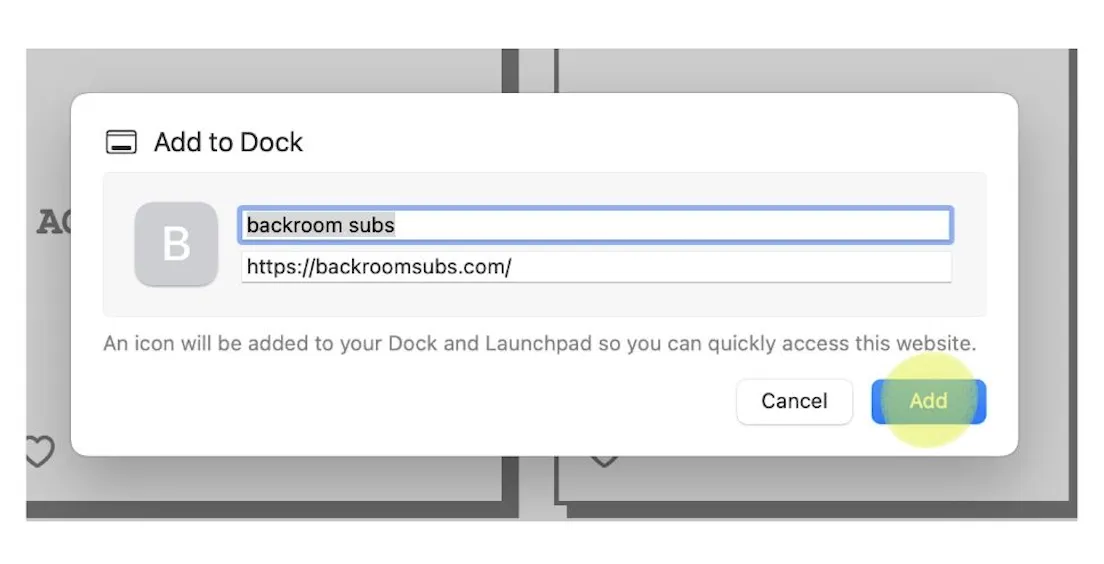
Click "Add."