iPhone GUIDE
Follow the visual steps below to use Quick Access on your iPhone. To return back to the Quick Access Guide, click [here].
For iPhone:
iPhone Instructions: Open Backroom Subs in Safari, tap the "Share" icon at the bottom, select "Add to Home Screen," ensure "Open as Web App" is toggled ON, and tap Add.
iPhone Instructions: Open Backroom Subs in Safari, tap the "Share" icon at the bottom, select "Add to Home Screen," ensure "Open as Web App" is toggled ON, and tap Add.
Step 1:
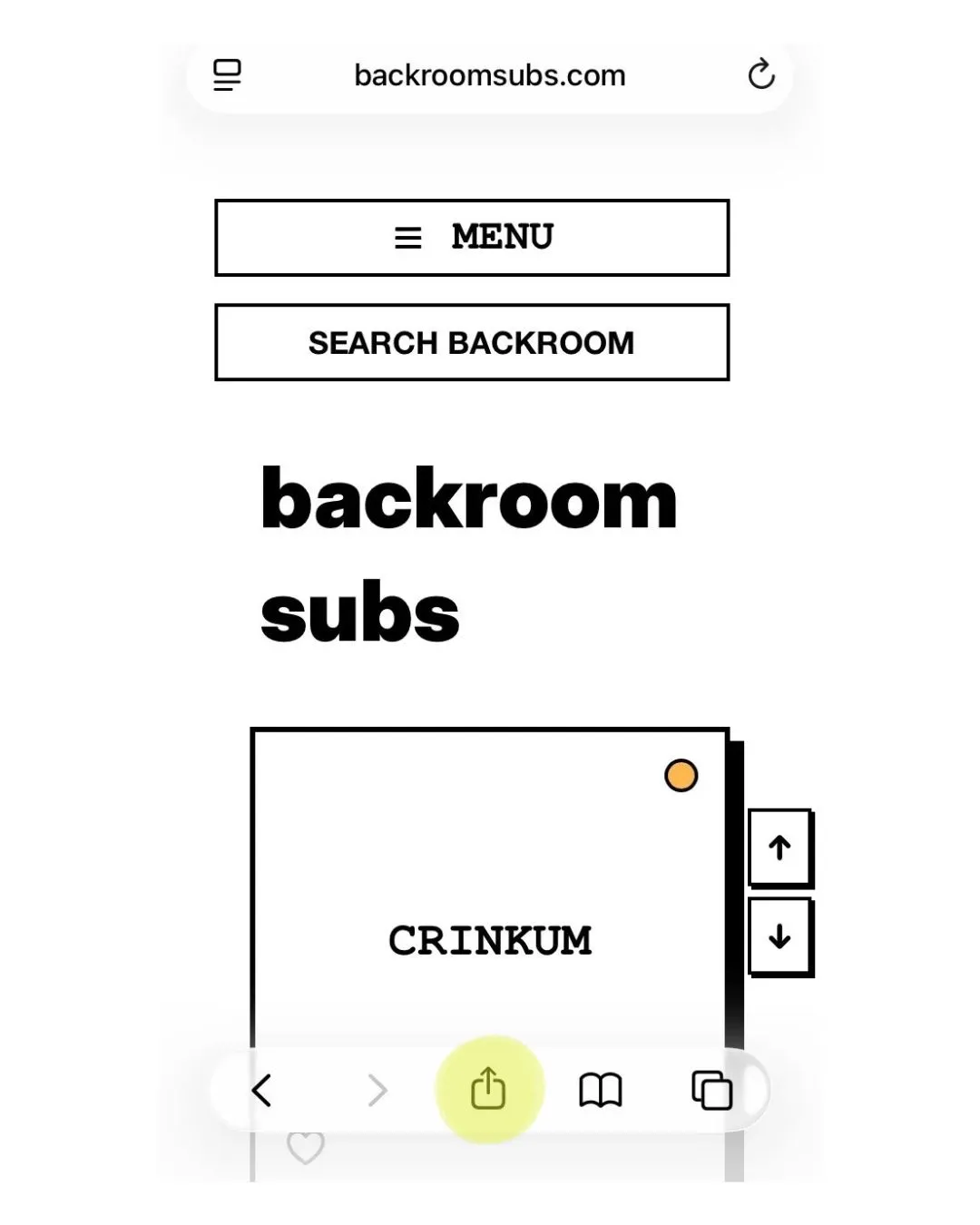
Click the "Share" icon while on the Backroom Subs website in Safari.
Step 2:
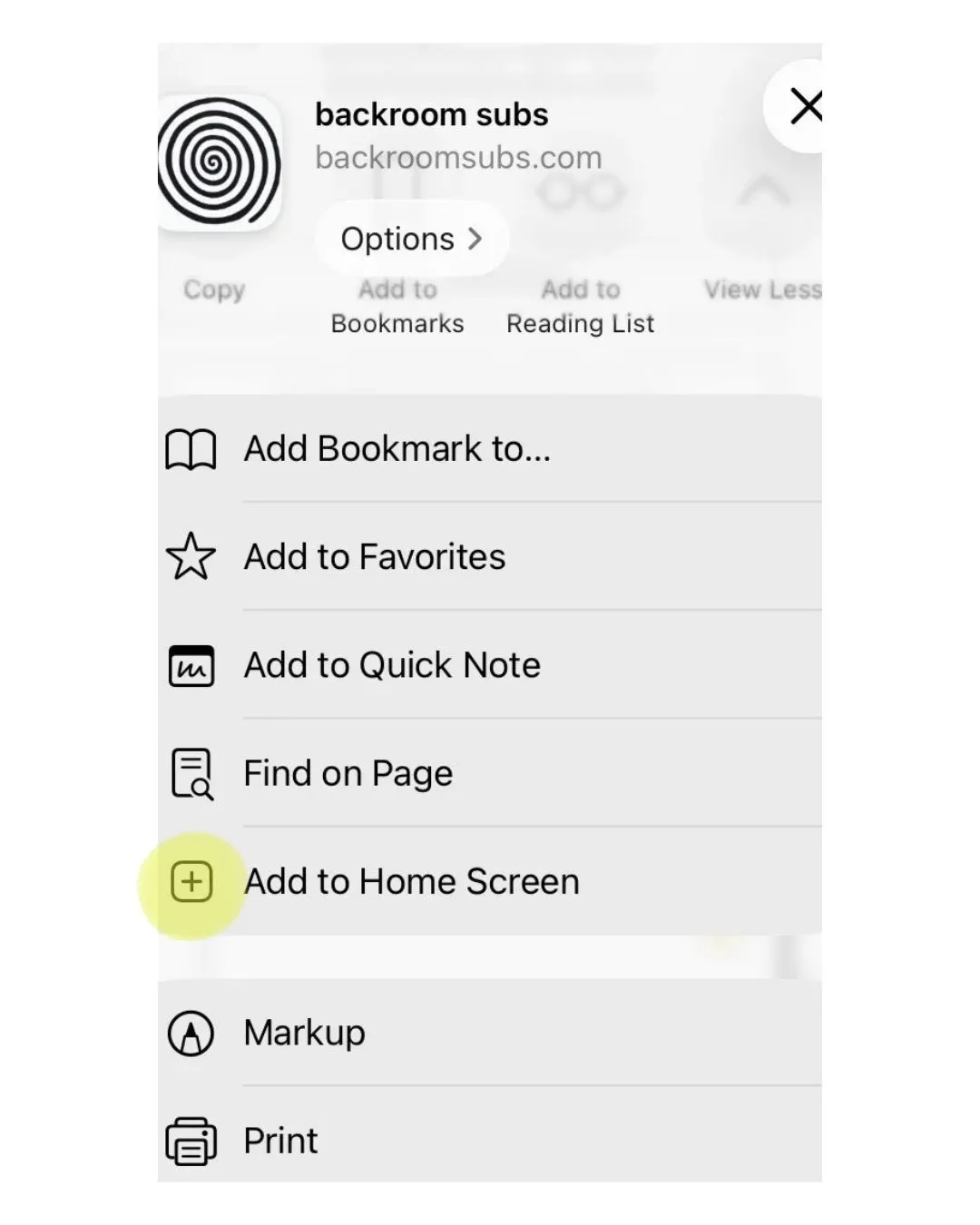
Click "Add to Home Screen."
Step 3:
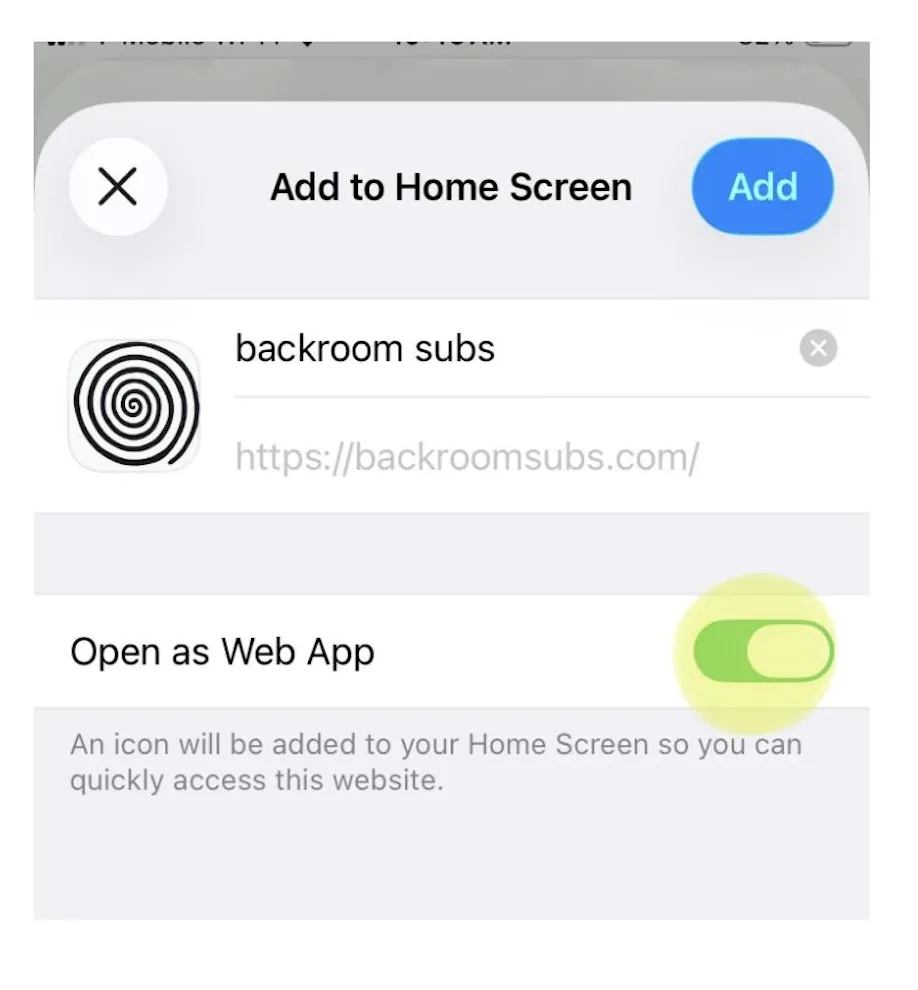
Ensure that "Open as Web App" is toggled on (green). After this, return to your iPhone home screen and you will see Backroom Subs next to your existing apps.