Chrome GUIDE
Follow the visual steps below to use Quick Access on your desktop computer. To return back to the Quick Access Guide, click [here].
For Chrome:
Chrome Users: Open Backroom Subs in Chrome, tap the Menu icon (three vertical dots) in the top right corner, select "Cast, Save, Share," select Install Page as App, click Install. In the event that your app saves into a folder, you can drag the app to your desktop from this folder.
Chrome Users: Open Backroom Subs in Chrome, tap the Menu icon (three vertical dots) in the top right corner, select "Cast, Save, Share," select Install Page as App, click Install. In the event that your app saves into a folder, you can drag the app to your desktop from this folder.
Steps:
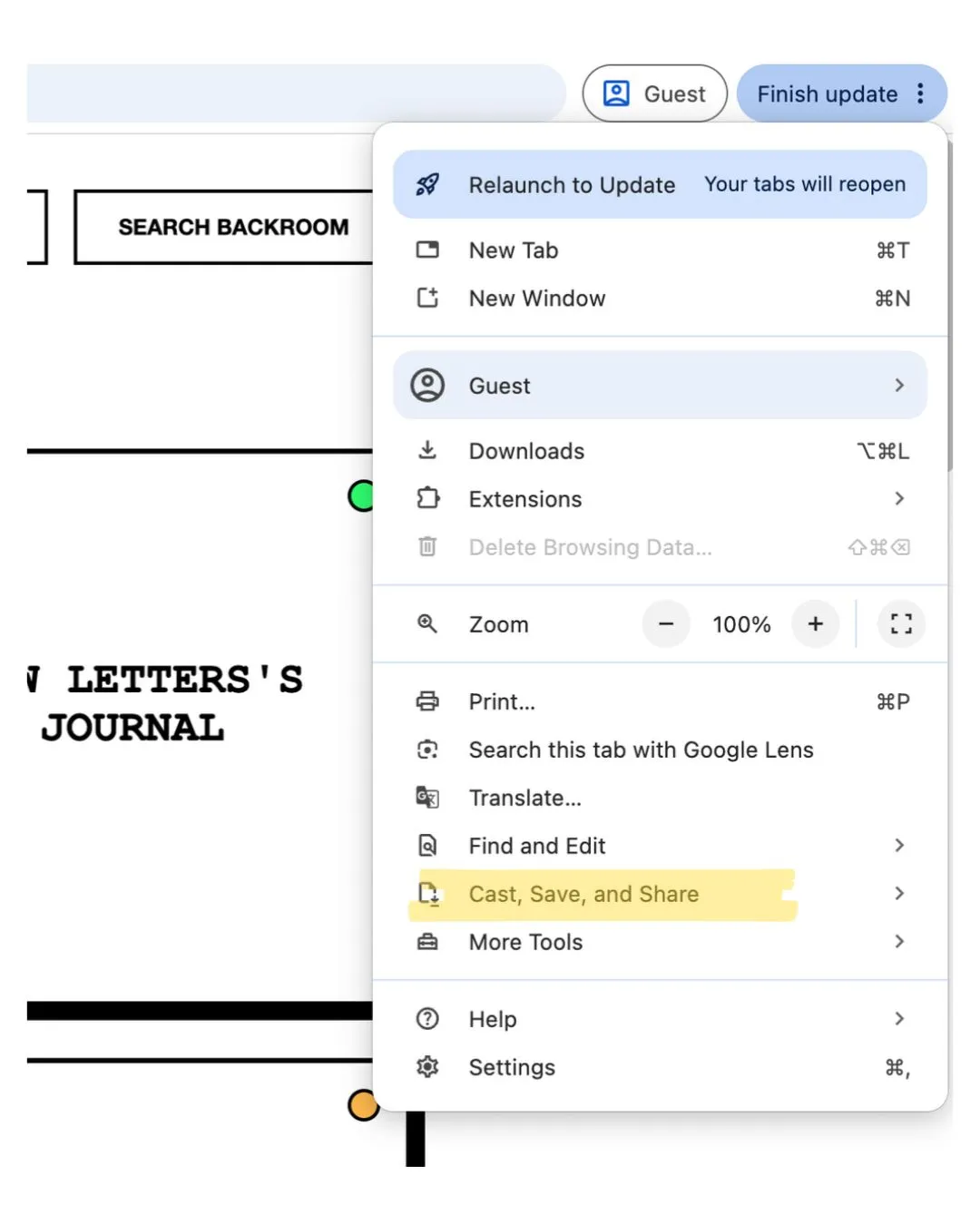
Tap the Menu icon (three vertical dots) in the top right corner, select "Cast, Save, Share," select Install Page as App, click Install. In the event that your app saves into a folder, you can drag the app to your desktop from this folder.